How Does Internet Work?
-
Principle 1: Sharing Information
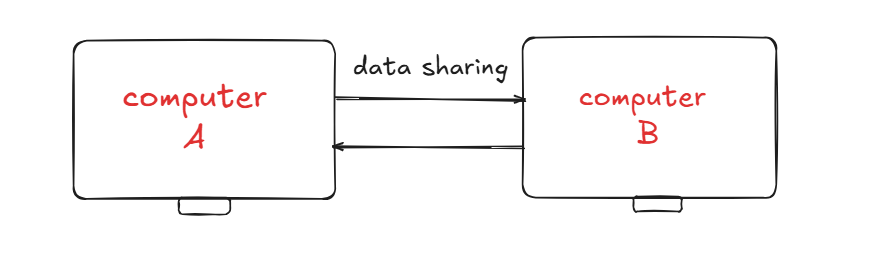
Imagine Computer A has some data and wants to send it to Computer B. Carrying it physically with something like a USB is slow and impractical. A better way is to connect the two computers with a cable (ethernet or fiber optic). Information then travels as signals in the form of 1s and 0s. This simple connection allows the two computers to communicate directly.
-
Principle 2: The Problem of Scale
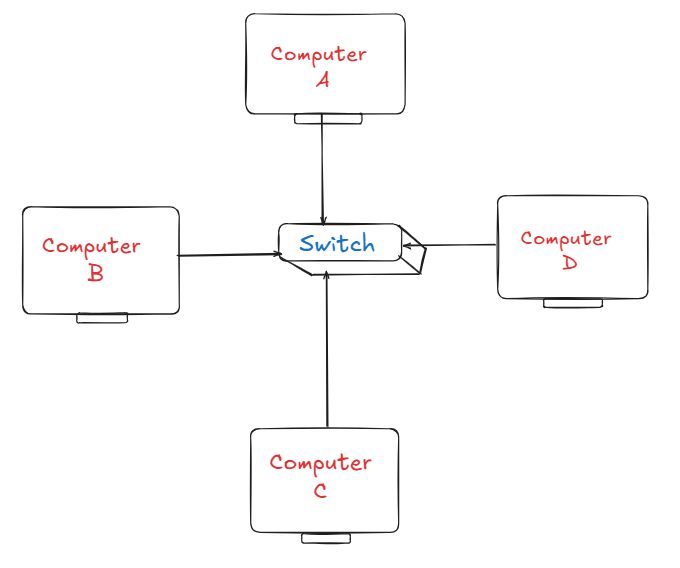
Connecting two computers is simple. But if three or more computers want to connect, the number of cables increases very quickly. For example, 4 computers would need 6 cables, and 100 computers would need nearly 5,000. Clearly, this does not scale well. To solve this, we use a Switch. Every computer connects to the switch, and the switch makes sure the data reaches only the intended computer. This creates what we call a Local Network.
-
Principle 3: Connecting Networks
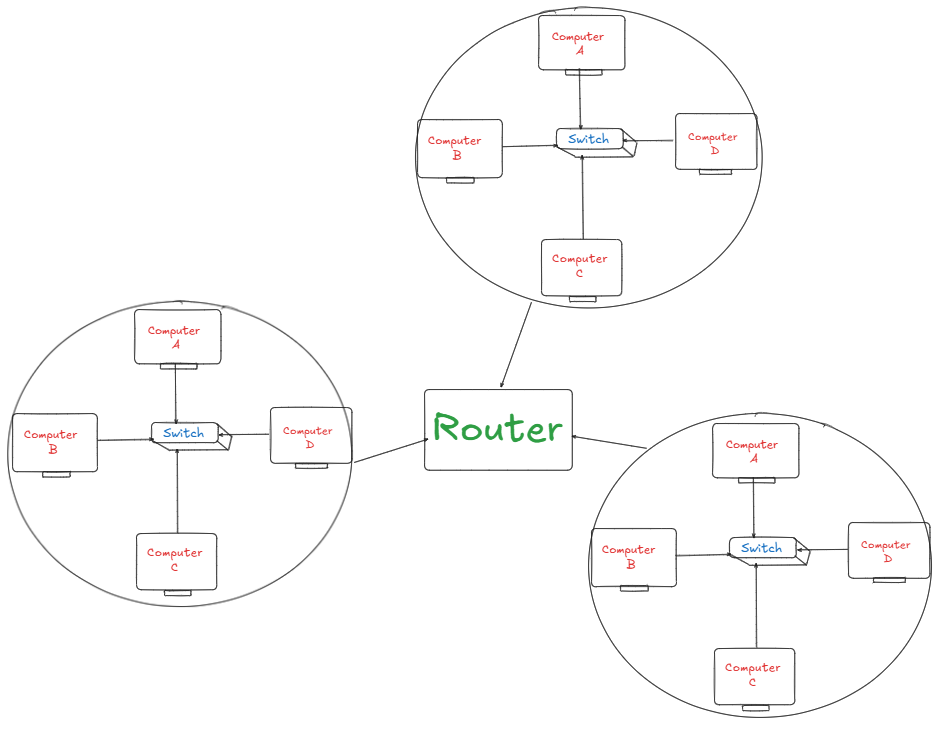
One office may have its own local network, while another office across town has another. How do they connect? We can’t link every computer individually again. Instead, we use a Router. A router connects entire networks together and passes messages between them. When many routers connect across the world, we get the Internet — a network of networks.
-
Principle 4: Finding the Right Computer
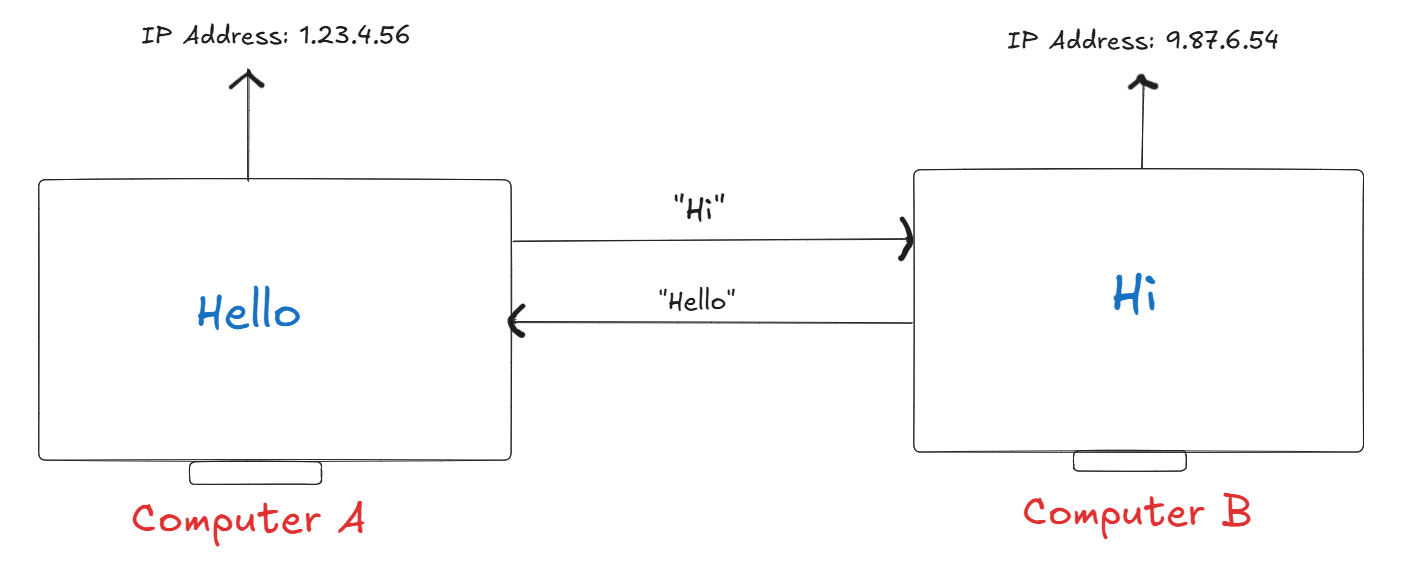
With millions of devices connected, how does the internet know where to send information? The answer is the IP Address. Just like a postal address, every device on the internet has a unique IP address. This ensures that data reaches the correct computer.
-
Principle 5: Reliability and Fairness
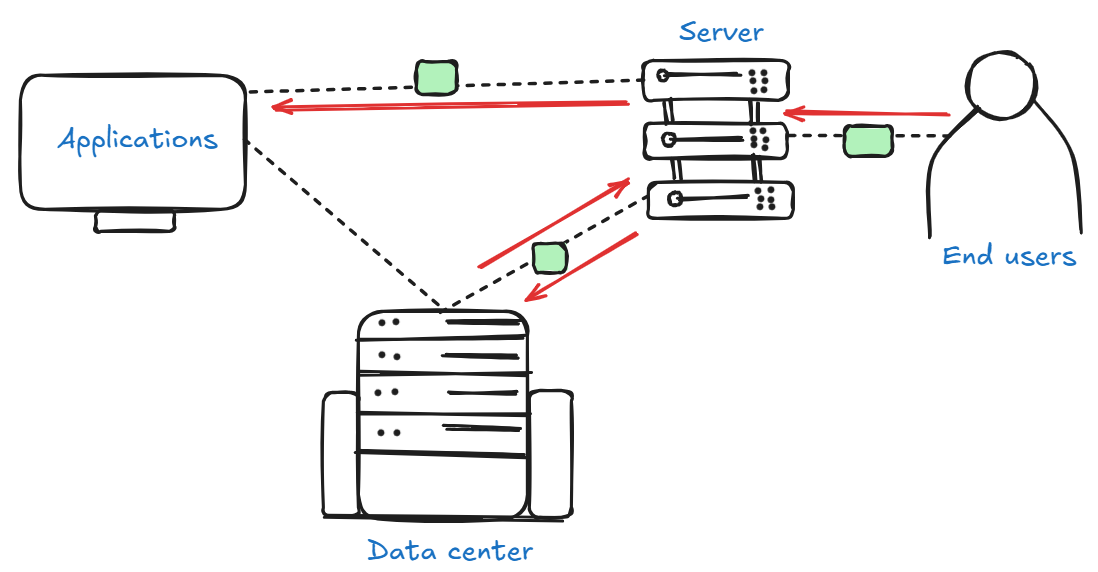
Sending a big file at once is inefficient and risky. So, it’s split into small pieces called Packets. Each packet has data, sender & receiver addresses, and a number to keep order. Packets may take different paths, but the receiver puts them back together. This process follows rules called Protocols, mainly TCP/IP.
- Sharing Information → Two computers can talk through a direct cable connection using 1s and 0s.
- Scaling Problem → Too many computers need too many cables, so we use a Switch to form a Local Network (LAN).
- Connecting Networks → Different networks connect using Routers, creating the Internet (a network of networks).
- Finding the Right Computer → Every device has a unique IP Address, like a home address, so data knows where to go.
- Reliability & Fairness → Big data is broken into Packets and reassembled correctly using rules called TCP/IP Protocol.
Summary of Principles:
IP Address
-
IP Address (IPv4)
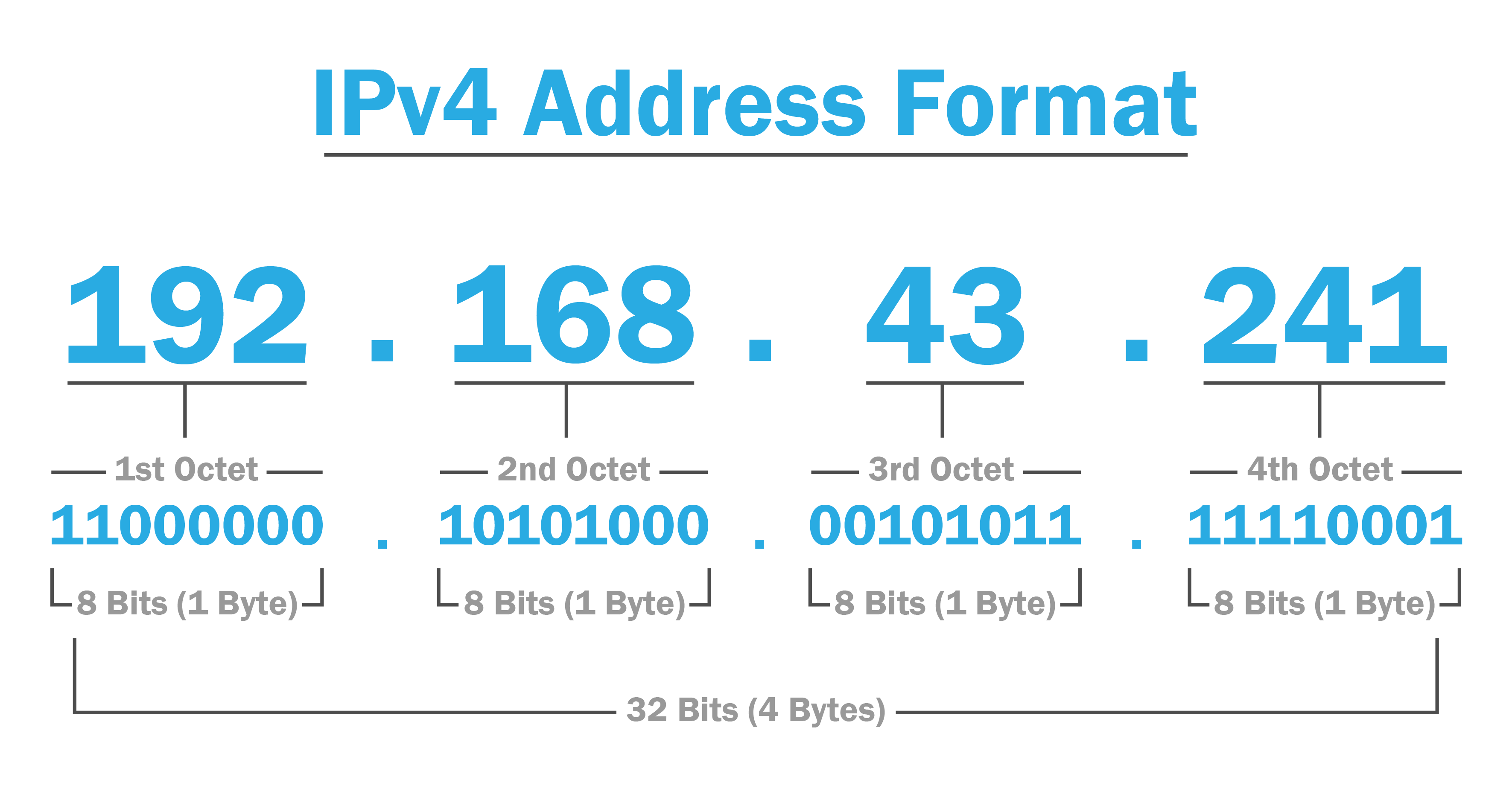
An IPv4 address is the traditional format of internet addresses. It’s a 32-bit number, shown as four decimal parts (each 0–255).
Example: 172.217.16.142 (a Google address)
Limit: Since it’s only 32 bits, there can be about 4.3 billion unique addresses.
When the internet was first designed, this seemed like plenty. But with billions of devices today (phones, laptops, servers, even smart gadgets), we started running out. This shortage led to the use of public and private IPs.
-
Public IP Address :-
A Public IP address is your network’s unique address on the internet. It’s assigned by your ISP and must be globally unique, so no two devices share it at the same time. Public IPs allow your network or device to be reached from anywhere, like web servers or your home router.
When you visit a site like whatismyip.com, it shows the public IP of your router. From the outside world, your entire home network looks like one single device with that public IP address.
-
Private IP Address :-
A Private IP is used only within your local network (home or office). Think of it like an employee’s private extension number — it only needs to be unique inside that network. Devices use it to talk to each other (like your laptop to your printer). The router assigns these addresses.
The Internet authorities reserved specific ranges just for private use. Any IP address starting in these ranges is private:
- 10.0.0.0 - 10.255.255.255 (often used by large companies)
- 172.16.0.0 - 172.31.255.255 (medium networks)
- 192.168.0.0 - 192.168.255.255 (most common in home Wi-Fi)
-
-
IP Address (IPv6)
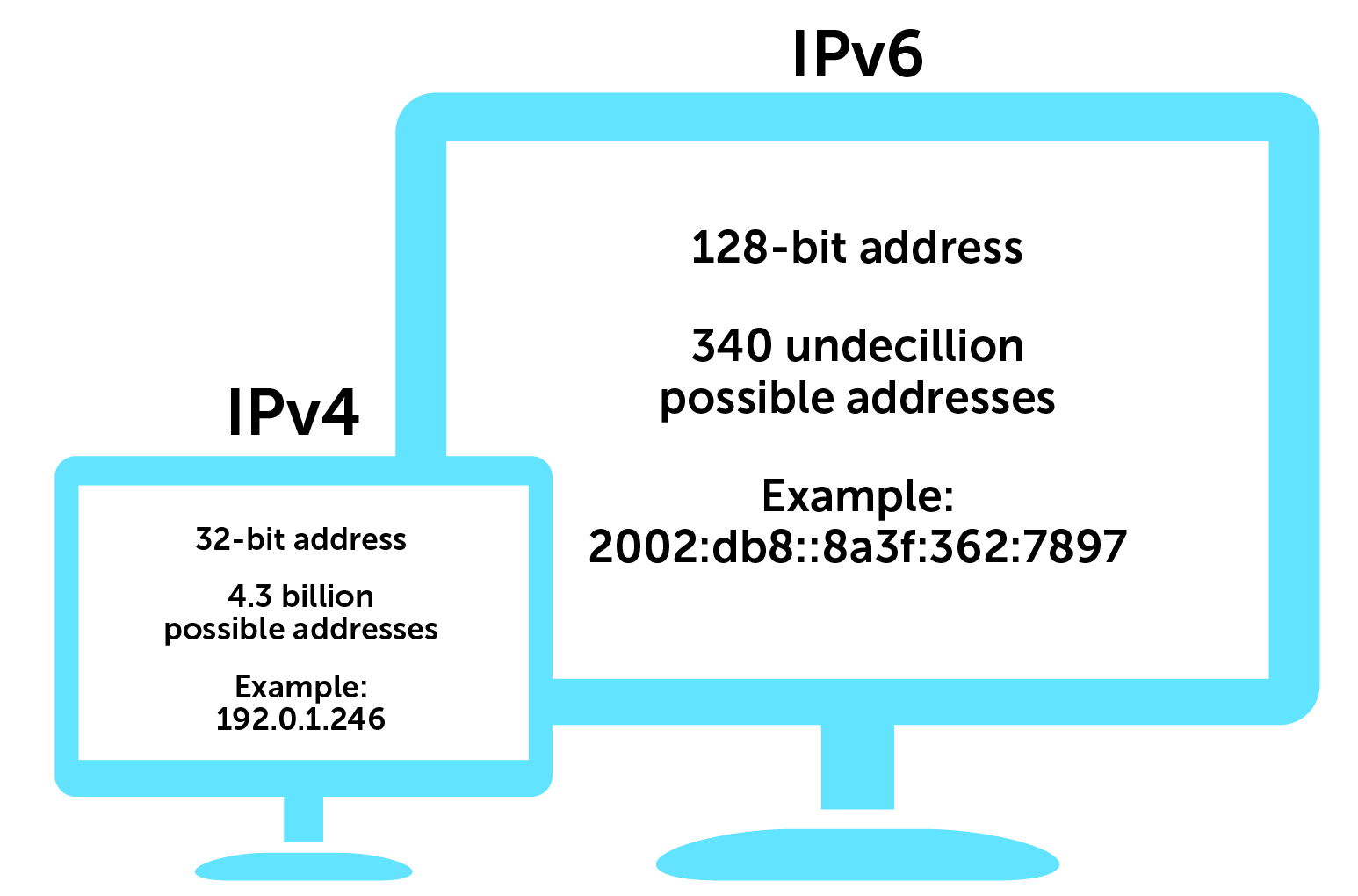
IPv6 (Internet Protocol version 6) is the upgraded version of the Internet Protocol, created mainly to solve the shortage of IPv4 addresses. While IPv4 uses 32-bit addresses (around 4.3 billion unique addresses), IPv6 uses 128-bit addresses.
This jump isn’t just 4 times bigger- it’s astronomically larger. IPv6 allows for about 2^128 addresses, which equals roughly 340 undecillion (that’s 340 followed by 36 zeros!). In simple terms, it means we will never run out of IP addresses again.
What Does an IPv6 Address Look Like?
Because IPv6 addresses are so long, they use hexadecimal numbers (0-9 and a-f) instead of just decimals.
Example IPv6 Address: 2001:0db8:85a3:0000:0000:8a2e:0370:7334
MAC Address
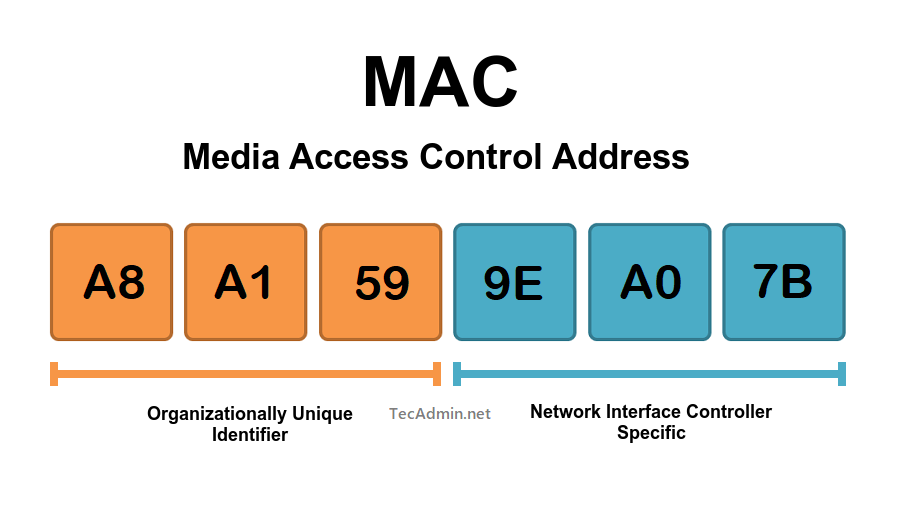
A MAC (Media Access Control) Address is a unique, permanent identifier given to every network-enabled device (like your laptop’s Wi-Fi card, phone, or smart TV). It’s often called the hardware address or the device’s fingerprint on a local network.
Format: A MAC address is a 48-bit number, shown as 12 hexadecimal digits.
Example formats:
- 3C:22:FB:A3:B4:C5 (colon-separated, most common)
- 3C-22-FB-A3-B4-C5 (Windows)
- 3c22.fba3.b4c5 (Cisco devices)
Purpose: Used to uniquely identify devices within a local network. Unlike IP addresses, MAC addresses don’t change.
Finding Your MAC Address:
- Windows: Open Command Prompt → type ipconfig /all or getmac.
- MacOS: Open Terminal → type ifconfig.
Port Number
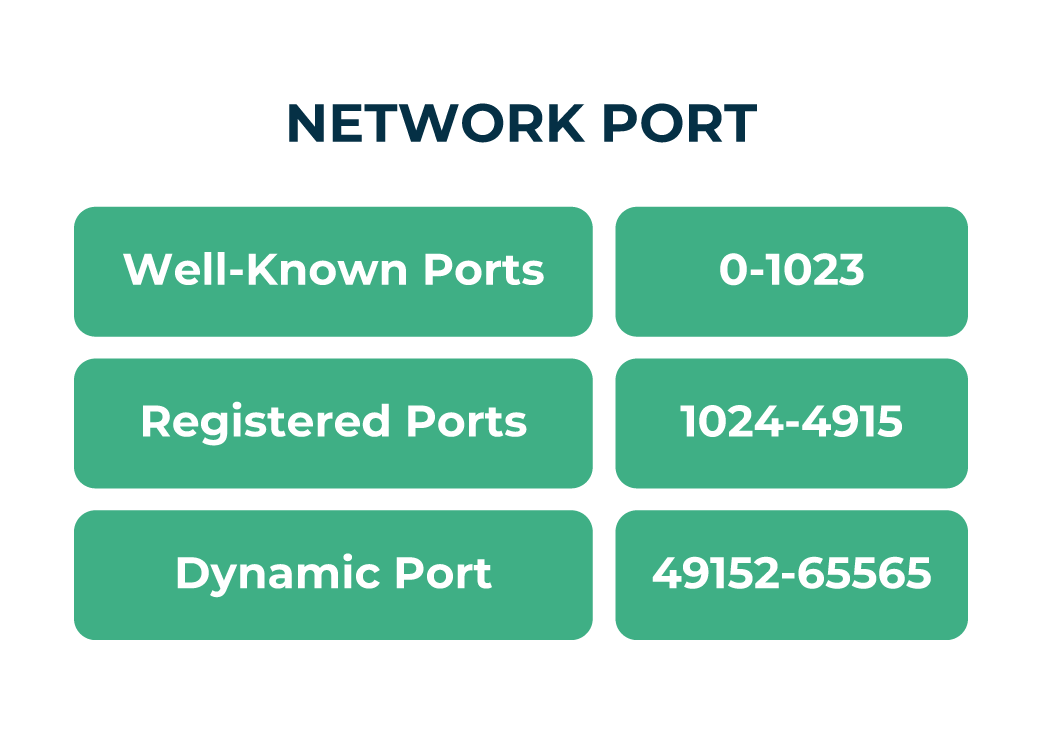
A Port Number is a numerical identifier (0-65535) used alongside an IP address to direct network traffic to a specific application or service on a device. Think of it like an apartment number in a building — the IP is the building, and the port is the apartment. Port numbers are 16-bit unsigned integers, which gives 65,536 possible ports.
To organize them, the Internet Authority (IANA) divides ports into three main categories:
-
Well-Known (0-1023): Reserved for standard services.
Examples: 22 (SSH), 53 (DNS), 80 (HTTP), 443 (HTTPS)
-
Registered (1024-49151): Used by apps and databases.
Examples: 3000 (React/Node.js), 3306 (MySQL), 27017 (MongoDB)
-
Dynamic/Ephemeral (49152-65535): Temporary ports chosen automatically for client connections.
DNS (Domain Name System)
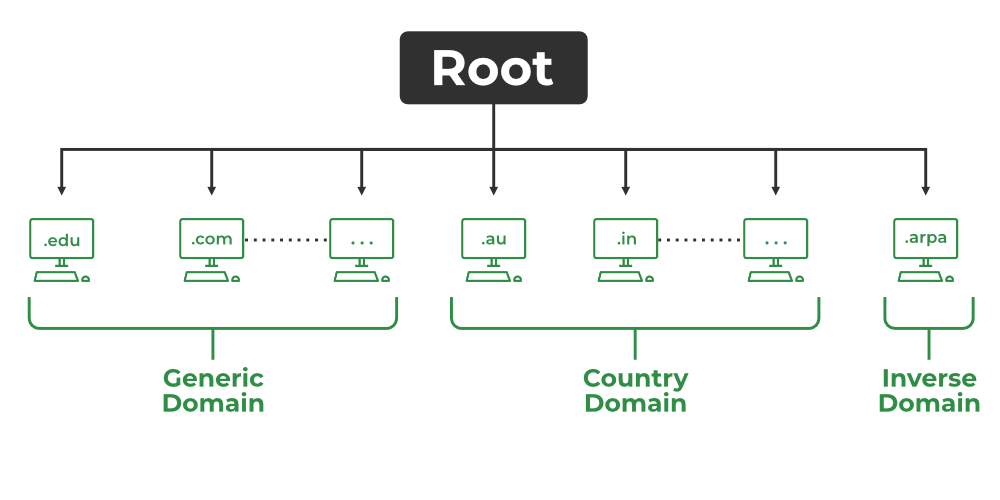
DNS is like the phonebook of the internet. It converts human-friendly domain names (like google.com) into computer-friendly IP addresses (like 142.250.72.206). Without DNS, we’d have to remember numbers instead of names.
How DNS Works:
- Check Cache: Your browser, OS, or router first checks if it already knows the IP (faster loading).
- Ask Recursive Resolver: If not cached, your computer asks a DNS resolver (usually your ISP’s or public ones like Google 8.8.8.8).
- Root Servers: Resolver asks the root servers, which direct it to the right Top-Level Domain (TLD) servers (like .com).
- TLD Servers: These point to the Authoritative Name Servers for the domain (e.g., Google’s servers).
- Authoritative Server: The final source of truth gives the exact IP of the domain.
- Return & Connect: The answer travels back → Resolver caches it → Your browser finally connects to the IP.